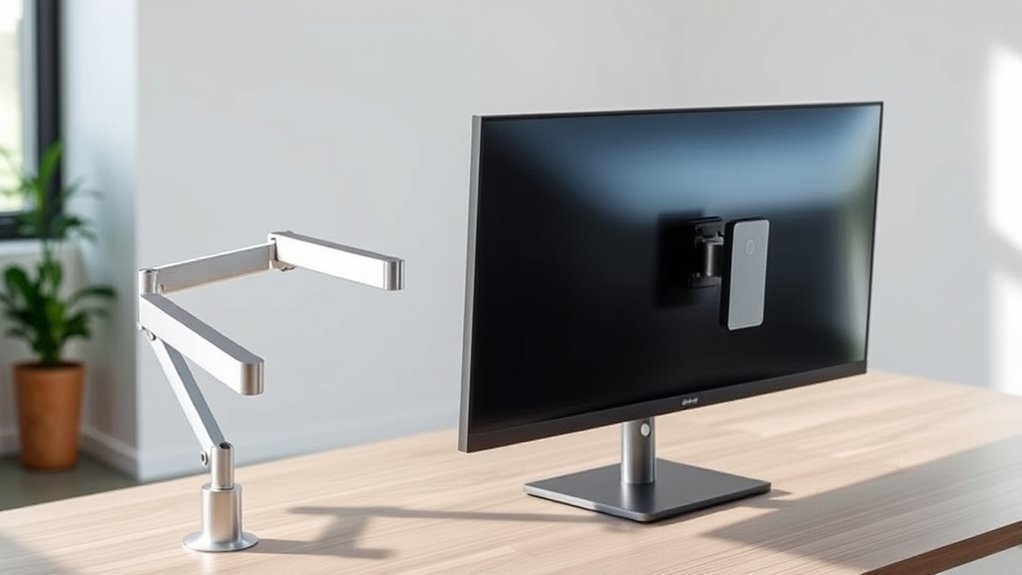

People seeking adjustable monitor arms for dual setups often face the challenge of balancing flexibility, stability, and ease of installation. The ErGear Dual Monitor Arm stands out as the overall best for its smooth adjustability and robust build, while the VIVO Dual Monitor Desk Mount offers excellent value with reliable performance at a lower price point. For those looking at premium options, the EVEO Premium Dual Monitor Mount provides advanced features like gas spring arms for effortless movement. The main tradeoffs in this category typically involve choosing between maximum adjustability, load capacity, and ease of setup. Continue reading for a detailed comparison to help you find the perfect fit for your workspace.

Get pool and patio gear delivered free with Prime
- Fast, free delivery on millions of items
- Prime Video, Amazon Music and more included
- Member-only deals all year
Complete the kit



Key Takeaways
- The top picks excel in balance between adjustability and stability, with the ErGear and VIVO models leading in versatility and durability.
- Most dual monitor arms support a range of screen sizes, but load capacity varies significantly—pay attention to weight limits to prevent sagging or damage.
- Installation complexity differs, with some options offering quick clamp setups while others require more permanent mounting solutions.
- Features like USB hubs and cable management are common extras, but may not justify a higher price unless they align with specific needs.
- Price range in this category is broad; the best value options often match premium features without the premium price tag.
| ErGear Dual Monitor Arm, Fully Adjustable Mount for 13–32″ Screens |  | Best Overall | Compatibility: 13–32″ monitors | Max Load: 19.8 lbs | VESA Pattern: 75x75mm, 100x100mm | VIEW ON AMAZON | See Our Full Breakdown |
| WALI Adjustable Dual Monitor Arm for 13-32 inch Screens, 22 lbs per Arm |  | Best Value | Compatibility: Monitors up to 32 inches, 22 lbs | VESA Pattern: 75x75mm and 100x100mm | Maximum Extension: 19.3 inches | VIEW ON AMAZON | See Our Full Breakdown |
| HUANUO Dual Monitor Stand – Fully Adjustable VESA Desk Mount with C Clamp or Grommet Base for 13-32 Inch Screens – Holds 4.4-19.8 lbs per Arm – White |  | Best for Beginners | Compatibility: 13-32 inches, 4.4-19.8 lbs | VESA Pattern: 75x75mm or 100x100mm | Installation: C-clamp or grommet | VIEW ON AMAZON | See Our Full Breakdown |
| HUANUO 17-32 Inch Dual Monitor Stand with Adjustable Tilt, Swivel, and Rotation |  | Best for Large Monitors | Size Support: 17-32 inches | VESA Compatibility: 75x75mm or 100x100mm | Weight Capacity: 19.8 lbs | VIEW ON AMAZON | See Our Full Breakdown |
| ErGear Dual Monitor Stand, Heavy Duty Adjustable Desk Mount for 2 Screens up to 32 Inches |  | Best Overall for Heavy Monitors and Versatility | Monitor Size Compatibility: 13 to 32 inches | Weight Limit: 17.6 lbs per monitor | VESA Mounting: 75×75 mm or 100×100 mm | VIEW ON AMAZON | See Our Full Breakdown |
| HUANUO FlowLift™ Dual Monitor Stand for 13–32″ Screens, Fully Adjustable Desk Mount with C-Clamp & Grommet Base |  | Best for Adjustable Ergonomics on Wooden Desks | Monitor Size Range: 13–32 inches | Monitor Weight Range: 4.4–19.8 lbs | VESA Compatibility: 75x75mm or 100x100mm | VIEW ON AMAZON | See Our Full Breakdown |
| Acer Dual Monitor Arm, Gas Spring VESA Mount Stand for 17-32″ Screens |  | Best for Smooth, Durable Adjustments and Wide Compatibility | Supported Screen Size: 17-32 inches | Weight Capacity: 4.4–19.8 lbs | VESA Compatibility: 75×75/100×100 mm | VIEW ON AMAZON | See Our Full Breakdown |
| VIVO Dual Monitor Desk Mount for 13-30 inch Screens, Holds 22 lbs Each, Fully Adjustable Steel Stand with C-Clamp and Grommet, Black |  | Best Overall Dual Monitor Arm for Versatility and Durability | Screen Size Compatibility: 13-30 inches | Weight Capacity: 22 lbs per monitor | VESA Compatibility: 75x75mm, 100x100mm | VIEW ON AMAZON | See Our Full Breakdown |
| HUANUO Dual Monitor Mount for 2 Monitors up to 32 inches, Each Arm Supports 22 lbs, Adjustable Height/Tilt/Swivel/Rotate, VESA Compatible |  | Best for Large Monitors with High Stability Needs | Monitor Size Range: 17″–32″ | Max Load: 22 lbs per arm | VESA Compatibility: 75x75mm, 100x100mm | VIEW ON AMAZON | See Our Full Breakdown |
| HUANUO FlowLift Pro Dual Monitor Mount for 13–27″ Screens, Adjustable with Tilt/Swivel/Rotation, Tool-Free VESA Mount, Max Load 15.4 lbs |  | Best for Small to Medium Monitors Needing Quick Setup | Screen Size Range: 13″ to 27″ | Max Load: 15.4 lbs | VESA Compatibility: 75x75mm, 100x100mm | VIEW ON AMAZON | See Our Full Breakdown |
| Dual Monitor Stand for up to 32 inch Screens, Adjustable Desk Mount for 2 Monitors, VESA Compatible, Black |  | Best Space-Saving Dual Monitor Stand for Larger Screens | Monitor Size Support: up to 32 inches | Weight Capacity: up to 19.8 lbs | VESA Compatibility: 75x75mm, 100x100mm | VIEW ON AMAZON | See Our Full Breakdown |
| MountUp Dual Monitor Stand for Desk, Adjustable Mount for 2 Monitors 22-32 Inches, VESA Compatible |  | Best for Versatile, Easy-to-Install Dual Setup | Weight Capacity: 4.4-17.6 lbs | Screen Size Range: 22-32 inches | VESA Compatibility: 75x75mm, 100x100mm | VIEW ON AMAZON | See Our Full Breakdown |
| adjustable monitor arms for dual setup | VESA Compatibility |
|---|---|
| ErGear Dual Monitor Arm | — |
| WALI Adjustable Dual Monitor A | — |
| HUANUO Dual Monitor Stand | — |
| HUANUO 17-32 Inch Dual Monitor | 75x75mm or 100x100mm |
| ErGear Dual Monitor Stand | — |
| HUANUO FlowLift™ Dual Monitor | 75x75mm or 100x100mm |
| Acer Dual Monitor Arm | 75×75/100×100 mm |
| VIVO Dual Monitor Desk Mount f | 75x75mm, 100x100mm |
| HUANUO Dual Monitor Mount for | 75x75mm, 100x100mm |
| HUANUO FlowLift Pro Dual Monit | 75x75mm, 100x100mm |
| Dual Monitor Stand for up to 3 | 75x75mm, 100x100mm |
| MountUp Dual Monitor Stand for | 75x75mm, 100x100mm |
More Details on Our Top Picks
ErGear Dual Monitor Arm, Fully Adjustable Mount for 13–32″ Screens
The ErGear Dual Monitor Arm stands out for its broad compatibility with monitors from 13 to 32 inches and a higher weight capacity of 19.8 lbs per arm, making it suitable for a wide range of setups. Its independent adjustments for height, tilt, swivel, and rotation allow for highly customizable ergonomic positioning, surpassing some competitors like the HUANUO Dual Monitor Stand, which offers similar flexibility but with slightly less extension. The tool-free VESA mounting simplifies installation, and cable management keeps your workspace tidy—key advantages for busy professionals. However, it’s best suited for wooden desks without crossbeams, as installation can be tricky otherwise, and the maximum extension may be limiting for very large monitors. This mount is ideal for users needing stability, versatility, and support for heavier screens without sacrificing adjustability.
Pros:- Supports a wide range of monitor sizes with high weight capacity
- Independent, fully adjustable for ergonomic comfort
- Simple tool-free VESA mounting and cable management
- Durable construction tested for over 20,000 cycles
Cons:- Recommended only for wooden desks without crossbeams underneath
- Maximum extension and height adjustments may be limited for very large monitors
Best for: Professionals with varied monitor sizes and heavier setups seeking maximum adjustability and durability.
Not ideal for: Users with glass desks or desks with crossbeams underneath, as clamp stability may be compromised.
- Compatibility:13–32″ monitors
- Max Load:19.8 lbs
- VESA Pattern:75x75mm, 100x100mm
- Height Adjustment:Up to 17.5 inches
- Extension:Up to 18.1 inches
- Tilt:+80°/-50°
- Swivel:±90°
- Rotation:360°
- Clamp Range:Desk thickness 0.39″ to 2.56″ (clamp), 0.39″ to 2.95″ (grommet)
Our verdict“This mount is best suited for users who need a highly versatile, durable dual arm with broad compatibility and solid support for heavier monitors.”
WALI Adjustable Dual Monitor Arm for 13-32 inch Screens, 22 lbs per Arm
The WALI Dual Monitor Arm offers excellent value by supporting monitors up to 32 inches and 22 lbs per arm, making it a strong choice for budget-conscious users. Its full motion adjustments—tilt, swivel, and rotation—are comparable to pricier options like the HUANUO Dual Monitor Stand, but at a lower cost. The multiple mounting options, including clamp and grommet, provide flexibility for different desk types, and cable management helps keep your workspace organized. However, its installation can be somewhat complex for first-time users, and the maximum weight limit may restrict very heavy or large monitors. It’s best for users seeking a dependable dual arm with full adjustment capabilities without a hefty price tag.
Pros:- Supports monitors up to 32 inches and 22 lbs per arm
- Full motion adjustments for ergonomic comfort
- Multiple mounting options for flexibility
- Cable management included
Cons:- Requires careful setup, which can be complex for beginners
- Maximum weight limit may not fit very heavy monitors
Best for: Home office users or students who want a reliable, budget-friendly dual monitor setup with full motion adjustment.
Not ideal for: Users with thick or glass desks, as mounting stability may be compromised, or those with heavier monitors exceeding 22 lbs per arm.
- Compatibility:Monitors up to 32 inches, 22 lbs
- VESA Pattern:75x75mm and 100x100mm
- Maximum Extension:19.3 inches
- Maximum Height:17.3 inches
- Swivel:+90°/-90°
- Tilt:+70°/-45°
- Rotation:360°
- Mounting Options:C-clamp or grommet
- Warranty:10 years
Our verdict“This arm provides a great balance of affordability and full adjustability for users with standard-sized monitors and moderate weight needs.”
HUANUO Dual Monitor Stand – Fully Adjustable VESA Desk Mount with C Clamp or Grommet Base for 13-32 Inch Screens – Holds 4.4-19.8 lbs per Arm – White
The HUANUO Dual Monitor Stand provides a straightforward, fully adjustable mounting solution for monitors from 13 to 32 inches, supporting up to 19.8 lbs per arm. Its user-friendly design is ideal for those new to monitor mounts, offering adjustable swivel, tilt, and rotation to fine-tune viewing angles. While it supports a wide range of monitor sizes, it requires monitors to have VESA mounting holes, which may be a hurdle for some pre-assembled screens. Its easy installation via C-clamp or grommet mount makes setup accessible, but first-timers might find the initial adjustment process slightly complex. This stand is well-suited for beginners seeking a simple, reliable dual arm with ergonomic flexibility.
Pros:- Supports a wide range of monitor sizes and weights
- Fully adjustable for ergonomic positioning
- Easy to install with multiple mounting options
- Supports cable management for a tidy workspace
Cons:- Requires monitors with VESA mounting holes
- Setup might be complex for first-time users
Best for: Users new to monitor mounts or setting up a dual display for the first time, prioritizing ease of installation and adjustability.
Not ideal for: Experienced users with heavy or non-VESA compatible monitors who need more advanced features or higher weight capacity.
- Compatibility:13-32 inches, 4.4-19.8 lbs
- VESA Pattern:75x75mm or 100x100mm
- Installation:C-clamp or grommet
- Color:White
Our verdict“This stand is perfect for beginners seeking an easy-to-install, fully adjustable dual monitor solution with solid ergonomic features.”
HUANUO 17-32 Inch Dual Monitor Stand with Adjustable Tilt, Swivel, and Rotation
The HUANUO 17-32 Inch Dual Monitor Stand excels in supporting larger monitors up to 32 inches and 19.8 lbs per arm, making it suitable for expansive screens. Its height adjustment of 17 inches combined with full tilt, swivel, and rotation capabilities allows for highly ergonomic setups, comparable to the more versatile ErGear Dual Monitor Arm. However, it’s not compatible with glass desks and requires monitors to have VESA mounting holes, which could limit use with some models. The maximum weight capacity and flexible motion make it ideal for users who prioritize stability and large display support, but it might be overkill for smaller or lighter monitors. It’s best for those with sizable screens seeking comprehensive ergonomic control.
Pros:- Supports large monitors up to 32 inches and 19.8 lbs
- Full height, tilt, swivel, and rotation adjustments
- Easy to install with versatile mounting options
- Cable management included
Cons:- Not compatible with glass desks
- Requires monitors with VESA mounting holes
Best for: Professionals or gamers with large monitors needing maximum flexibility and support for heavy displays.
Not ideal for: Users with glass desks or monitors without VESA mounting holes, as compatibility and stability could be issues.
- Size Support:17-32 inches
- VESA Compatibility:75x75mm or 100x100mm
- Weight Capacity:19.8 lbs
- Height Adjustment:17 inches
- Tilt:90°
- Swivel:180°
- Rotation:360°
- Desk Compatibility:Not for glass desks
Our verdict“This stand is best for users with large, heavy monitors who need maximum flexibility and ergonomic control.”
ErGear Dual Monitor Stand, Heavy Duty Adjustable Desk Mount for 2 Screens up to 32 Inches
This stand stands out for supporting larger monitors up to 32 inches and 17.6 lbs each, making it ideal for users with demanding setups. Its full adjustability with tilt, swivel, and rotation ensures ergonomic comfort, similar to the VIVO Dual Monitor Desk Mount, but with a higher weight capacity. Compared to lighter-duty options, it handles bulkier screens with ease, though it requires monitors with compatible VESA mounts and a sturdy desk surface. The installation options include clamp or grommet mount, which offers flexibility, but the absence of detailed material info could be a concern for durability. This model is perfect for professionals who need robust support for large monitors and a tidy workspace.
Pros:- Supports large monitors up to 32 inches and 17.6 lbs each
- Full tilt, swivel, and rotation for ergonomic positioning
- Includes cable management to keep workspace tidy
- Supports multiple mounting options (clamp or grommet)
Cons:- Requires monitors with VESA mounting holes and specific size/weight criteria
- Installation may be difficult on non-wooden or beam-supported desks
- Material details are not specified, raising durability questions
Best for: Buyers with large, heavy monitors needing a sturdy, fully adjustable mount
Not ideal for: Users with lightweight monitors or small desks where space is limited
- Monitor Size Compatibility:13 to 32 inches
- Weight Limit:17.6 lbs per monitor
- VESA Mounting:75×75 mm or 100×100 mm
- Arm Span:31.22 inches
- Height Adjustment:Yes
- Installation Options:C clamp or grommet mount
Our verdict“This stand is ideal for those with large, heavy monitors who prioritize stability and full adjustability.”
HUANUO FlowLift™ Dual Monitor Stand for 13–32″ Screens, Fully Adjustable Desk Mount with C-Clamp & Grommet Base
The HUANUO FlowLift™ excels for users with desks that can support its installation options, supporting 13 to 32-inch monitors weighing up to 19.8 lbs. Its full motion capabilities, including tilt, swivel, and rotation, are comparable to the Acer Dual Monitor Arm, but it offers a more compact height adjustment of 15.75 inches. Ideal for ergonomic setups, it aids in organizing workspace by lifting monitors off the desk and features cable management. However, it’s primarily suited for wooden desks and may struggle on glass or plastic surfaces, and installation on desks with cross beams can be difficult. This model is perfect for those who want ergonomic flexibility on sturdy, traditional desks.
Pros:- Supports dual monitors with full tilt, swivel, and rotation
- Provides secure mounting via C-clamp or grommet base
- Lifts monitors off the desk for a cleaner workspace
- Includes cable management features
Cons:- Recommended only for wooden desks; not ideal for glass or plastic surfaces
- Installation can be complex on desks with cross beams
- Limited height adjustment compared to some counterparts
Best for: Professionals with wooden desks seeking full motion and ergonomic comfort
Not ideal for: Users with glass or plastic desks or those with unconventional desk supports
- Monitor Size Range:13–32 inches
- Monitor Weight Range:4.4–19.8 lbs
- VESA Compatibility:75x75mm or 100x100mm
- Desk Thickness Range:0.59″ – 3.54″
- Tilt:+85°/-50°
- Maximum Height Adjustment:15.75 inches
Our verdict“This mount is best for ergonomic-minded workers with traditional wooden desks and standard monitor sizes.”
Acer Dual Monitor Arm, Gas Spring VESA Mount Stand for 17-32″ Screens
The Acer Dual Monitor Arm leverages a durable gas spring mechanism, providing smooth, effortless height adjustments, making it ideal for users who frequently change their viewing angles. Supporting 17 to 32-inch screens and up to 19.8 lbs, it compares favorably with the EVEO Premium Mount in terms of build quality and flexibility. It supports multiple mounting options, including C-clamp and grommet, but requires a desk thickness between 0.59″ and 3.15″ and may necessitate drilling for grommet installation. Unlike some lower-cost alternatives, its gas spring ensures stable, fluid motion, although it is less suited for glass surfaces. This mount is excellent for users who prioritize durability and smooth adjustments.
Pros:- Supports a wide range of monitor sizes (17-32 inches)
- Gas spring mechanism provides smooth, stable adjustments
- Supports multiple mounting options for flexibility
- Durable build quality ensures longevity
Cons:- Requires desk thickness within specific range; grommet installation may involve drilling
- Not suitable for glass or plastic surfaces
- Grommet mount can be more involved to install
Best for: Professionals needing easy, fluid height adjustments on sturdy desks
Not ideal for: Users with glass or plastic desks or those with very thin or thick surfaces outside specified range
- Supported Screen Size:17-32 inches
- Weight Capacity:4.4–19.8 lbs
- VESA Compatibility:75×75/100×100 mm
- Max Height Adjustment:18.1 inches
- Max Extension:21.25 inches
- Mounting Options:C-Clamp, Grommet
Our verdict“This arm is a solid choice for users seeking durable, smooth, and adjustable monitor positioning on sturdy desks.”
VIVO Dual Monitor Desk Mount for 13-30 inch Screens, Holds 22 lbs Each, Fully Adjustable Steel Stand with C-Clamp and Grommet, Black
This VIVO model stands out for its ability to support larger screens up to 30 inches and 22 lbs each, surpassing many competitors like the HUANUO FlowLift Pro which caps at 15.4 lbs. Its fully adjustable arms offer tilt, swivel, rotation, and height, enabling precise ergonomic setups. Installation is straightforward thanks to included hardware, and its steel construction promises long-term stability. However, the mounting options require a desk thickness of up to 3.25 inches, which could be limiting for some desks, and very large monitors might feel constrained by the adjustment range. Compared to lightweight aluminum options, its heavy-duty steel means added stability but slightly more effort during setup. This pick makes the most sense for users with larger, heavier monitors who prioritize durability and flexible positioning.
Pros:- Supports large monitors up to 30 inches and 22 lbs each
- Fully adjustable for ergonomic positioning
- Sturdy steel construction with a 3-year warranty
- Easy installation with included hardware
Cons:- Requires a desk thickness of up to 3.25 inches for mounting
- Adjustment range may be limited for very large screens
Best for: Professionals with large, heavy monitors seeking maximum stability and adjustability
Not ideal for: Users with thinner desks or smaller monitors under 13 inches, as the mount’s size and weight capacity may be unnecessary or incompatible
- Screen Size Compatibility:13-30 inches
- Weight Capacity:22 lbs per monitor
- VESA Compatibility:75x75mm, 100x100mm
- Mounting Options:C-Clamp, Grommet
- Tilt:+90° to -90°
- Material:Steel
- Warranty:3 years
Our verdict“Ideal for users with sizeable, heavy monitors who need a durable, fully adjustable setup.”
HUANUO Dual Monitor Mount for 2 Monitors up to 32 inches, Each Arm Supports 22 lbs, Adjustable Height/Tilt/Swivel/Rotate, VESA Compatible
Compared to the VIVO, the HUANUO Dual Monitor Mount supports even larger screens up to 32 inches, making it well-suited for users with sizable displays. Its aerospace-grade aluminum alloy construction offers a balance of strength and lightweight feel, though it can be heavier to handle during installation. The adjustable height, tilt, swivel, and rotation provide excellent ergonomic flexibility, similar to the VIVO but with a slightly more refined aesthetic. This model’s maximum extension of 17.5 inches and height adjustment of 17.5 inches help maximize workspace, but its weight capacity of 22 lbs per arm might be restrictive for very heavy or ultra-wide monitors. It’s a strong choice for demanding setups where stability and large screen support are priorities, but it’s less ideal for lighter, smaller desks or monitors with unusual VESA patterns.
Pros:- Supports monitors up to 32 inches with high stability
- Adjustable height, tilt, swivel, and rotation
- Sturdy aerospace-grade aluminum alloy construction
- Versatile mounting options with C-clamp or grommet
Cons:- Heavy due to sturdy build, which may complicate installation
- Limited to monitors with VESA patterns of 75mm or 100mm
- Extension arm length might be limiting for some setups
Best for: Professionals using large, high-resolution monitors requiring stable, flexible positioning
Not ideal for: Users with lightweight or smaller monitors below 17 inches, as the mount’s features are geared toward larger screens
- Monitor Size Range:17″–32″
- Max Load:22 lbs per arm
- VESA Compatibility:75x75mm, 100x100mm
- Max Extension:17.5 inches
- Max Height Adjustment:17.5 inches
- Mounting Options:C-clamp, Grommet
- Material:Aerospace-grade aluminum alloy
Our verdict“Best suited for users with large monitors seeking a durable, highly adjustable mount with stable support.”
HUANUO FlowLift Pro Dual Monitor Mount for 13–27″ Screens, Adjustable with Tilt/Swivel/Rotation, Tool-Free VESA Mount, Max Load 15.4 lbs
The HUANUO FlowLift Pro is tailored for users with monitors between 13 and 27 inches, making it ideal for lighter setups compared to the heavier-duty options like the VIVO or HUANUO. Its tool-free VESA mounting simplifies installation, and its professional-grade metal construction enhances durability. The maximum load of 15.4 lbs limits its use to mid-weight monitors, unlike the VIVO’s capacity for larger, heavier screens. The adjustable arms with tilt, swivel, and rotation allow for ergonomic positioning but might lack the robustness needed for very large, heavy monitors. Compared with the other models, this offers a more streamlined, workspace-friendly design, but at the expense of support for heavier screens and larger sizes.
Pros:- Ergonomic adjustments with tilt, swivel, and rotation
- Tool-free VESA mounting for quick setup
- Professional-grade durable metal construction
- Reduces neck and back strain effectively
Cons:- Limited to monitors weighing up to 15.4 lbs
- Not suitable for very large or heavy displays
- Requires compatible desk thickness and VESA patterns
Best for: Home office users with medium-sized monitors seeking quick, tool-free adjustments
Not ideal for: Professionals with larger, heavier monitors or those requiring maximum load capacity
- Screen Size Range:13″ to 27″
- Max Load:15.4 lbs
- VESA Compatibility:75x75mm, 100x100mm
- Desk Thickness:0.59″–3.54″
- Material:90% professional-grade metal
- Certification:TÜV Rheinland
Our verdict“Great for users with mid-sized monitors who prioritize quick setup and ergonomic adjustments.”
Dual Monitor Stand for up to 32 inch Screens, Adjustable Desk Mount for 2 Monitors, VESA Compatible, Black
Compared to the more technical arm-based options like the WALI or the HUANUO models, this stand offers a more straightforward, space-efficient solution for large monitors up to 32 inches and 19.8 lbs. Its design emphasizes maximizing desk space and ease of use, with adjustable height, tilt, swivel, and rotation. While it simplifies installation and reduces clutter with cable management, it may lack the fine-tuned ergonomic adjustments of articulated arms, making it less flexible for detailed positioning. Its simplicity makes it ideal for users who prefer a stable, no-fuss setup but less suitable for those needing maximum adjustability or supporting very heavy or multiple monitors simultaneously.
Pros:- Supports monitors up to 32 inches with good stability
- Helps maximize desk space and reduce clutter
- Easy to install with straightforward adjustments
- Cable management included
Cons:- Less adjustable than arm-based mounts
- Limited to monitors under 19.8 lbs
- Assembly might be less intuitive for some users
Best for: Users wanting a stable, space-efficient solution for large monitors without complex adjustments
Not ideal for: Power users requiring highly adjustable, multi-articulating arms or support for very heavy screens
- Monitor Size Support:up to 32 inches
- Weight Capacity:up to 19.8 lbs
- VESA Compatibility:75x75mm, 100x100mm
- Extension Length:up to 19.5 inches
- Height Adjustment:up to 16.9 inches
- Mounting Methods:C-clamp, Grommet
Our verdict“Ideal for users needing a sturdy, space-saving stand for large monitors without extensive adjustability.”
MountUp Dual Monitor Stand for Desk, Adjustable Mount for 2 Monitors 22-32 Inches, VESA Compatible
The MountUp Dual Monitor Stand offers a straightforward, adjustable solution for monitors between 22 and 32 inches, aligning well with models like the WALI but with a focus on ease of installation and space efficiency. It supports up to 17.6 lbs per monitor, making it suitable for a wide range of mid-weight screens, although heavier or ultra-wide monitors might push its limits. The height, tilt, swivel, and rotation adjustments help achieve ergonomic comfort, but the tension adjustment process can be tricky, especially for those unfamiliar with pneumatic arms. Its simple design and multiple mounting options make it accessible for most users, though some might find the assembly instructions lack clarity. This mount suits users seeking an easy, flexible, and space-conscious dual setup.
Pros:- Adjustable for ergonomic comfort with tilt, swivel, and rotation
- Easy to install with multiple mounting options
- Space-saving design with cable management
- Supports monitors from 22 to 32 inches
Cons:- Requires proper tension adjustment for pneumatic arms
- Maximum weight per monitor may limit some larger screens
- Assembly instructions could be clearer
Best for: Office workers and remote professionals needing a reliable, adjustable dual monitor mount with easy installation
Not ideal for: Power users with very heavy, large, or ultra-wide monitors requiring maximum load capacity and fine-tuned tension control
- Weight Capacity:4.4-17.6 lbs
- Screen Size Range:22-32 inches
- VESA Compatibility:75x75mm, 100x100mm
- Arm Extension:17.3 inches
- Height Adjustment Range:9.4 inches
- Mounting Options:C-clamp, Grommet
Our verdict“A versatile, user-friendly mount suited for mid-sized monitors in busy workspaces.”

How We Picked
These monitor arms were evaluated based on key factors that matter most for dual setups: adjustability (tilt, swivel, rotation), build quality, weight capacity, ease of installation, and compatibility with various monitor sizes. We also considered additional features like cable management and mounting options, prioritizing models that deliver reliable performance and user-friendly design. Our ranking favors products that balance affordability with durability, ensuring users get long-lasting value. Products that excel across multiple criteria are placed higher, while those with notable compromises are ranked lower to guide buyers toward informed choices.Factors to Consider When Choosing Adjustable Monitor Arms For Dual Setups
When selecting adjustable monitor arms for dual setups, it’s important to consider how the arm’s features align with your workspace needs. A well-chosen arm can reduce neck strain, improve ergonomics, and free up desk space. However, buyers often overlook critical factors such as weight capacity and mounting options, which can impact long-term satisfaction. The following considerations will help you identify the best fit for your environment and usage habits.Adjustability and Range of Motion
Look for monitor arms that offer a wide range of tilt, swivel, and rotation adjustments. This flexibility ensures you can position your screens for maximum comfort and productivity. Keep in mind that some models have limited movement, which may restrict your ability to fine-tune your setup. Consider your ergonomic preferences and workspace constraints when evaluating these features, as a highly adjustable arm can reduce strain during long work sessions.
Weight Capacity and Monitor Compatibility
Verify that the arm supports your monitor’s size and weight. Overloading an arm can lead to sagging or damage over time, especially with larger or heavier screens. Most dual arms specify a maximum load per arm—aim for models that comfortably support your monitors’ combined weight for durability. Ignoring this can result in instability and the need for costly replacements or repairs.
Mounting Options and Desk Compatibility
Decide whether you prefer clamp mounts or grommet bases, depending on your desk setup. Clamp mounts are easier to install and remove, making them suitable for temporary arrangements, while grommet mounts offer a more permanent, stable solution. Also, check if the mounting hardware fits your desk thickness and material. Proper mounting is essential to prevent wobbling and ensure long-term stability.
Ease of Installation and Adjustments
A monitor arm with straightforward installation can save you time and frustration. Look for models with clear instructions, tool-less adjustments, or quick-release mechanisms. Consider whether the arm’s adjustment mechanisms stay tight over time or require frequent readjustment. Ease of setup and ongoing adjustments can significantly improve your overall user experience.
Additional Features and Extras
Features like integrated cable management, built-in USB hubs, or tool-free height adjustments add convenience but often come with a price premium. Evaluate whether these extras enhance your workflow or simply drive up costs. Prioritize features that genuinely improve your setup’s functionality and keep your workspace organized.
Frequently Asked Questions
Can I mount dual monitor arms on a desk with limited space?
Yes, many dual monitor arms are designed with compact footprints or adjustable arms that maximize space efficiency. Look for models with articulated joints and quick-release clamps that can be repositioned easily. Ensure your desk has enough clearance for the mounting hardware and arm movement, as some setups require additional space for full adjustment.
Are gas spring monitor arms better for dual setups?
Gas spring arms generally provide smoother, effortless movement, making them ideal for frequent adjustments. They often support higher weights and allow for easy repositioning without exerting much force. However, they tend to be more expensive and may require periodic re-tensioning to maintain balance. Consider your adjustment needs and budget when choosing between gas spring and standard mechanical arms.
What is the maximum weight I should look for in a dual monitor arm?
Most dual arms support monitors up to 19.8 lbs per arm, which covers the majority of standard screens. If your monitors are particularly heavy or large, look for arms with higher weight capacities, ideally 22 lbs or more per arm. Overloading an arm can cause sagging, instability, and potential damage, so always verify your monitors’ combined weight aligns with the arm’s specifications.
Is installation difficult for dual monitor arms?
Installation difficulty varies among models, but many modern dual arms feature tool-less or quick-mount options that simplify setup. Some require clamping to the desk edge, while others need grommet mounting, which can be more involved. Reading product instructions and reviews can help you gauge the complexity. Proper installation ensures stability and safe operation over time.
Should I prioritize additional features like cable management?
Features like cable management help keep your workspace tidy and are worth considering if you dislike clutter. Built-in USB hubs can also enhance connectivity for peripherals. However, these extras often increase the price, so evaluate whether they genuinely improve your daily workflow. For minimal setups, focusing on adjustability and stability may be more beneficial than bells and whistles.
Conclusion
If you seek the best overall performance with maximum flexibility, the ErGear Dual Monitor Arm makes an excellent choice. For value-conscious buyers who still want reliable adjustability, the VIVO Dual Monitor Desk Mount offers impressive performance at a lower price. Those looking for premium features and effortless movement should consider the EVEO Premium Dual Monitor Mount. Beginners or casual users might prefer simpler, more straightforward models, while professionals with larger or heavier monitors should prioritize higher weight capacities and robust build quality. Ultimately, matching your workspace needs and budget will lead you to the perfect dual monitor arm.