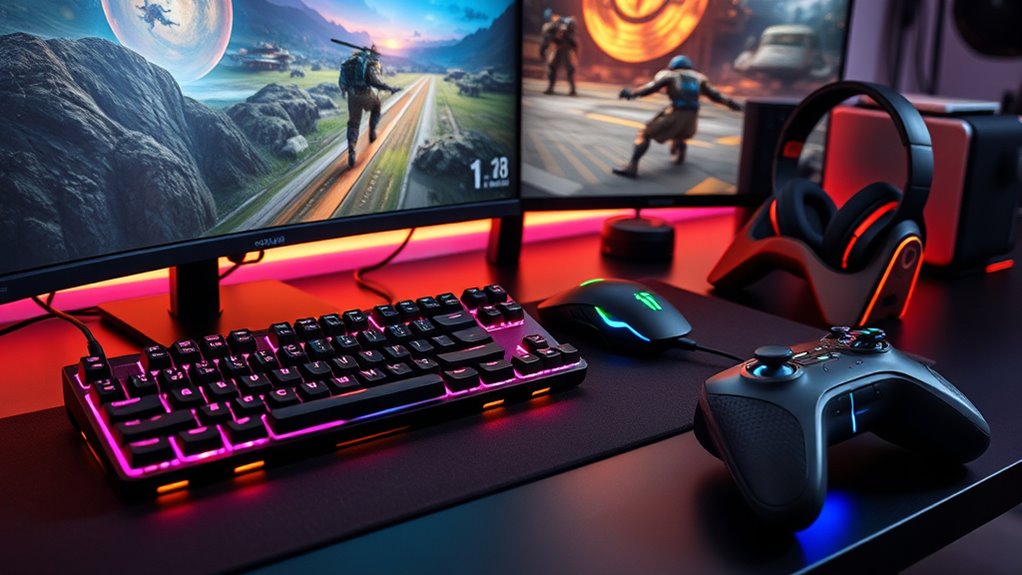

Gaming accessories can dramatically enhance your play experience, whether it’s through precision, comfort, or convenience. The Logitech G305 LIGHTSPEED Wireless Gaming Mouse stands out as the best overall for its combination of speed and wireless freedom. The Gaoye Blue Light Blocking Glasses are perfect for long gaming sessions, reducing eye strain, while the VIENON 4-Port USB 3.0 Hub keeps your peripherals connected effortlessly. The main tradeoffs involve balancing cost against features like responsiveness, durability, and compatibility. Keep reading for a detailed breakdown of each accessory and how to choose the right ones for your needs.

Get pool and patio gear delivered free with Prime
- Fast, free delivery on millions of items
- Prime Video, Amazon Music and more included
- Member-only deals all year
Complete the kit


Key Takeaways
- Wireless mice like the Logitech G305 deliver excellent responsiveness without cable clutter, but may be pricier than wired options.
- Cable management kits stand out for their value and ability to keep your setup clean, though some require installation effort.
- Blue light glasses are a simple upgrade that can significantly reduce eye fatigue during long gaming sessions.
- Multi-port USB hubs are essential for gamers with many peripherals but can vary in speed and build quality.
- Choosing accessories depends heavily on your gaming style—competitive players prioritize responsiveness, while casual gamers focus on comfort and convenience.
| Logitech G305 LIGHTSPEED Wireless Gaming Mouse – Black |  | Best Overall Wireless Gaming Mouse | Sensor: HERO optical (HERO 12K) | DPI: 200 – 12,000 | Tracking Speed: 400 IPS | VIEW ON AMAZON | See Our Full Breakdown |
| Frigidaire Gaming Light Up Mini Beverage Refrigerator, 6-Can, 4 Liters, Stealth |  | Best Compact Cooling Solution for Gaming Setups | Capacity: 4 Liters (6 cans) | Weight: 3 lbs | Cooling System: Thermoelectric | VIEW ON AMAZON | See Our Full Breakdown |
| N NOROCME 192 PCS Cable Management Kit with Wire Organizer Sleeves, Cable Clips, Ties & Adhesive Mounts |  | Best Complete Cable Management Solution | Total Pieces: 192 | Cable Sleeves: 4 pcs, 20 in L | Reusable Wire Ties: 20 pcs | VIEW ON AMAZON | See Our Full Breakdown |
| Gaoye Blue Light Blocking Glasses |  | Best Eye Protection for Long Gaming Sessions | Brand: Gaoye | Lens Type: Polycarbonate HD, non-prescription | Protection: UV400 blue light blocking | VIEW ON AMAZON | See Our Full Breakdown |
| Windex Gaming Cleaning Wipes, 25 Count |  | Best Electronics Cleaning Wipes | Brand: Windex | Count: 25 wipes | Formula: Ammonia-free, bleach-free, dye-free | VIEW ON AMAZON | See Our Full Breakdown |
| DIGSOM Gaming Mouse Pad – Black with White Topographic Line, 31.5 x 11.8 in |  | Best Large Surface for Full-Desk Coverage | Brand: DIGSOM | Size: 31.5 x 11.8 in (80 x 30 cm) | Thickness: 3 mm | VIEW ON AMAZON | See Our Full Breakdown |
| Call of Duty Monkeybomb Cable Guys Phone & Controller Holder |  | Best Collectible with Practical Device Storage | ASIN: B08KJJFFY8 | Height: 8.5 inches | Material: PVC | VIEW ON AMAZON | See Our Full Breakdown |
| VIENON 4-Port USB 3.0 Hub |  | Best Compact Expansion for Multiple Peripherals | Ports: 4 USB-A | Data Transfer Speed: Up to 5Gbps (USB 3.0) | Driver Required: No | VIEW ON AMAZON | See Our Full Breakdown |
More Details on Our Top Picks
Logitech G305 LIGHTSPEED Wireless Gaming Mouse – Black
The Logitech G305 LIGHTSPEED stands out for its combination of lightweight design, high-precision HERO sensor, and lag-free wireless performance, making it ideal for competitive gamers who prioritize speed and responsiveness. Compared to wired mice, it offers the convenience of wireless connectivity without sacrificing performance, thanks to its 1 ms report rate. However, its reliance on a single AA battery may be a concern for those seeking rechargeable solutions, and its compact shape might not suit larger-handed users well. This mouse is best suited for gamers who need portability and long battery life, but those with bigger hands or seeking a rechargeable option should consider alternatives.
Pros:- Exceptional battery life of up to 250 hours on a single AA battery
- Lightweight 99-gram design ideal for fast flicks and portability
- High-precision HERO sensor with up to 12,000 DPI and 400 IPS
- Lag-free wireless performance comparable to wired mice
Cons:- Requires a replaceable AA battery instead of a rechargeable one
- Compact shape may not fit larger hands comfortably
Best for: Competitive gamers who need a lightweight, wireless mouse with long battery life
Not ideal for: Gamers with larger hands or those who prefer built-in rechargeable batteries
- Sensor:HERO optical (HERO 12K)
- DPI:200 – 12,000
- Tracking Speed:400 IPS
- Report Rate:1 ms
- Battery Life:Up to 250 hours (up to 9 months in Endurance mode)
- Battery Type:1 AA battery (included)
- Weight:3.4 oz (99 grams)
- Buttons:6 programmable
- Connectivity:LIGHTSPEED wireless with USB nano receiver
Our verdict“This mouse makes the most sense for serious gamers seeking lightweight portability and top-tier wireless responsiveness.”
Frigidaire Gaming Light Up Mini Beverage Refrigerator, 6-Can, 4 Liters, Stealth
This mini beverage refrigerator offers a sleek, space-saving way to keep drinks or snacks close at hand during gaming sessions. Its 4-liter capacity is less than larger coolers but makes it perfect for small spaces, like desks or gaming corners. The LED lights add a fun aesthetic, matching gaming setups well, and the dual power options—car and home outlet—offer versatility. Compared with the larger cooling options, it’s more portable and less bulky, but it only cools a few cans below ambient temperature, not true refrigeration. Its small capacity makes it unsuitable for hosting multiple guests or storing larger items. Overall, this pick makes the most sense for casual gamers seeking a stylish, compact cooler for personal use.
Pros:- Compact and portable with a built-in carrying handle
- Versatile with both car and home outlet power options
- Stylish LED lighting enhances gaming decor
- Secure locking latch for safe storage
Cons:- Only cools a few degrees below ambient, not true refrigeration
- Limited capacity of 6 cans may not meet heavy use needs
Best for: Casual gamers or streamers who want a small, stylish cooler for drinks or snacks at their desk
Not ideal for: Gamer households needing larger capacity or true refrigeration for perishable items
- Capacity:4 Liters (6 cans)
- Weight:3 lbs
- Cooling System:Thermoelectric
- Cooling Performance:26-28°F below ambient
- Color:Stealth
- Power:12V car adapter and AC outlet
Our verdict“This mini fridge is perfect for casual use, adding style and convenience without taking up much space.”
N NOROCME 192 PCS Cable Management Kit with Wire Organizer Sleeves, Cable Clips, Ties & Adhesive Mounts
The N NOROCME cable management kit offers a comprehensive set of 192 pieces that cover nearly every cable organization need, making it ideal for cluttered gaming setups. Its split braided sleeves and reusable ties are designed for easy, tool-free installation, and the included clips and mounts help tidy everything from desk cables to wall wires. Compared with smaller kits, this one provides a broader array of components, though the 20-inch sleeves might fall short for larger setups. The eco-friendly, non-toxic Polyamide66 material adds peace of mind, but adhesive backing may struggle on textured surfaces. This kit suits gamers who want a clean, organized space without complex installations.
Pros:- 192-piece kit covers many cable management needs
- Made from sturdy, eco-friendly, non-toxic material
- Strong self-adhesive backing works on various surfaces
- Split braided sleeves are easy to load and close
Cons:- Adhesive may fail on textured or dirty surfaces
- Sleeves are only 20 inches long, which may be short for large setups
Best for: Gamers with extensive or messy cable setups seeking a comprehensive, easy-to-install solution
Not ideal for: Users with very large setups requiring longer sleeves or those with textured surfaces prone to adhesive failure
- Total Pieces:192
- Cable Sleeves:4 pcs, 20 in L
- Reusable Wire Ties:20 pcs
- Cable Clips:35 pcs
- Cord Holders:11 pcs
- Self-Adhesive Cable Tie Rolls:2 rolls, 118 in each
- Zip Tie Mounts:20 pcs
- Cable Fastening Ties:100 pcs
- Self-Adhesive Ties:20 pcs
Our verdict“This extensive kit is well-suited for gamers seeking a tidy, organized setup without complex tools or permanent modifications.”
Gaoye Blue Light Blocking Glasses
The Gaoye Blue Light Blocking Glasses deliver effective protection against blue light and UV rays, which can help reduce eye strain, blurry vision, and sleep disruption during extended gaming or screen time. Their lightweight polycarbonate lenses with anti-reflective coating restore true colors, making them comfortable for all-day wear. Compared with prescription glasses, these non-prescription models focus solely on blue light filtering but may not suit users needing vision correction. Their imported quality control might vary, yet their affordability and design make them appealing for casual gamers and streamers who want eye comfort without prescription lenses. These glasses are especially helpful for those who spend many hours in front of screens and are concerned about eye fatigue.
Pros:- UV400 blue light blocking reduces eye strain
- Lightweight and comfortable for all-day use
- Anti-reflective lenses restore true color
- Affordable and stylish design
Cons:- Non-prescription lenses do not correct vision
- Quality may vary due to being imported
Best for: Casual gamers or streamers seeking non-prescription blue light protection and comfort during long sessions
Not ideal for: Users needing corrective lenses or those expecting high-end optical quality
- Brand:Gaoye
- Lens Type:Polycarbonate HD, non-prescription
- Protection:UV400 blue light blocking
- Lens Features:Anti-reflective, high-transmittance
- Frame:Lightweight, durable
- Care:Clean with soft, dry cloth
Our verdict“These glasses are a practical choice for gamers wanting to shield their eyes without the need for prescription eyewear.”
Windex Gaming Cleaning Wipes, 25 Count
The Windex Gaming Cleaning Wipes are designed to keep gaming gear and electronics looking their best, with a streak-free, anti-static formula that safely cleans screens, controllers, headsets, and laptops. Their ammonia-free, dye-free composition ensures gentle yet effective removal of dust, fingerprints, and smudges. Compared to bulk cleaning sprays, these pre-moistened wipes offer convenience for quick touch-ups. However, with only 25 wipes per pack, they may run out quickly for frequent cleaning needs, especially in busy gaming households. Their compact size makes them easy to keep nearby for regular maintenance. This product appeals to gamers who want a fast, safe way to maintain their gear’s appearance without risking damage from harsh chemicals.
Pros:- Safe for delicate electronics with ammonia- and dye-free formula
- Anti-static cloth leaves no residue or streaks
- Removes dust, dirt, smudges, and fingerprints effectively
- Resealable packaging keeps wipes fresh
Cons:- Limited number of wipes for frequent use
- Not suitable for deep cleaning or large amounts of dirt
Best for: Gamers who need quick, safe cleaning of their gaming gear regularly
Not ideal for: Heavy-duty cleaning or large-scale maintenance, due to limited wipe count
- Brand:Windex
- Count:25 wipes
- Formula:Ammonia-free, bleach-free, dye-free
- Features:Pre-moistened, anti-static, streak-free
- Packaging:Resealable pack
- ASIN:B0DN3CWXVN
Our verdict“These wipes provide a quick, safe way to keep gaming devices clean between sessions, ideal for regular maintenance.”
DIGSOM Gaming Mouse Pad – Black with White Topographic Line, 31.5 x 11.8 in
This extra-large mouse pad from DIGSOM stands out for its expansive size, easily fitting a full keyboard and mouse, making it ideal for gamers who prefer a seamless surface. Compared with smaller pads, it offers uninterrupted space for fast, sweeping mouse movements, reducing the need to reposition during intense sessions. The spill-proof, coated fabric surface ensures easy maintenance, though its plain design might not appeal to those wanting a more decorative setup. The thin 3 mm padding provides a stable base but offers limited wrist cushioning, which could become uncomfortable over extended play. This pad is well-suited for gamers who prioritize space and stability over aesthetic flair or extra wrist support.
Pros:- Extra-large size accommodates full keyboard and mouse for uninterrupted gameplay
- Water-resistant, spill-proof surface simplifies cleanup after snacks or drinks
- Non-slip rubber base ensures stable, precise control during rapid movements
Cons:- Plain black and white design may not match more colorful or decorative setups
- Limited padding provides minimal wrist support, potentially causing fatigue
Best for: Gamers who need a large, stable surface to cover their entire desk area for immersive, unrestricted movement.
Not ideal for: Players with wrist pain or those who prefer cushioned support, as the thin padding offers minimal comfort for long sessions.
- Brand:DIGSOM
- Size:31.5 x 11.8 in (80 x 30 cm)
- Thickness:3 mm
- Color:Black with white topographic line
- Surface:Smooth spill-proof coated fabric
- Base:Non-slip rubber
Our verdict“This mouse pad is ideal for gamers who prioritize maximum surface area and stability over aesthetic or ergonomic features.”
Call of Duty Monkeybomb Cable Guys Phone & Controller Holder
The Call of Duty Monkeybomb Cable Guys combines a fun, character-themed display piece with practical device organization, making it a smart choice for fans who want their gaming desk to reflect their fandom. Compared to generic holders like the VIENON USB hub, this figure offers a distinctive visual appeal thanks to its official license and iconic character, adding personality to any gaming setup. Its durable PVC build and weighted base prevent tipping, though it only holds a couple of devices at a time, limiting its utility for larger collections. This pick makes the most sense for dedicated Call of Duty fans or collectors who want both form and function in a single piece.
Pros:- Officially licensed, authentic Call of Duty collectible adds display value
- Holds a range of devices including controllers, smartphones, and remotes
- Heavy-duty PVC and weighted base prevent tipping and wobbling
Cons:- Limited capacity — only one or two devices at a time
- Design may not appeal to non-Call of Duty fans or those preferring understated accessories
Best for: Call of Duty enthusiasts or collectors seeking a themed, functional desk accessory that also showcases their fandom.
Not ideal for: Users who need to hold multiple devices simultaneously or prefer minimalist, non-collectible organizers, as its stylized figure may not suit their taste.
- ASIN:B08KJJFFY8
- Height:8.5 inches
- Material:PVC
- Base:Weighted, sturdy
- Compatibility:PS5 DualSense, Xbox Series S/X controllers, smartphones, remotes
- License:Officially licensed by Activision
Our verdict“This figure is best suited for fans who want a collectible that doubles as practical device storage on their gaming desk.”
VIENON 4-Port USB 3.0 Hub
The VIENON 4-Port USB 3.0 Hub offers a speedy and compact way to expand a single USB port into four, supporting data transfer speeds up to 5Gbps—making it a practical choice for gamers with limited ports. Unlike bulkier hubs, its slim design easily fits into a gaming or travel setup, with plug-and-play operation that requires no drivers, compatible across Windows, macOS, Linux, and consoles like Xbox and PS4. However, only one port supports USB 3.0 speeds; the others are standard USB 2.0, which means data transfer is slower for those connections. This makes it ideal for low-power peripherals, but not suitable for high-demand devices like external drives needing sustained high transfer rates or charging capabilities.
Pros:- Supports fast data transfer up to 5Gbps on one port for quick file movement
- Plug-and-play setup with no drivers needed
- Ultra-slim, travel-friendly design fits easily into gaming bags or desks
Cons:- Only one port offers USB 3.0 speeds; others are limited to USB 2.0
- Does not support charging of high-power devices or laptops
Best for: Gamers and streamers who need additional USB ports for low-power peripherals and value portability.
Not ideal for: Users who require charging capabilities or high-speed transfer for external drives, as this hub does not support charging laptops or tablets.
- Ports:4 USB-A
- Data Transfer Speed:Up to 5Gbps (USB 3.0)
- Driver Required:No
- Compatibility:Windows, macOS, Linux, Xbox, PS4
- Power:Bus-powered; data and low-power peripherals only
- Indicator:Blue LED
Our verdict“This hub makes sense for gamers who need a portable, quick-expanding USB solution for low-power peripherals without the need for charging or high-speed data on all ports.”
How We Picked
Our evaluation focused on how each accessory improves the gaming experience through performance, durability, ease of use, and value. For gaming mice, responsiveness and wireless reliability were key factors. Cable management products were judged on ease of installation, versatility, and overall effectiveness. For accessories like glasses and hubs, we considered comfort, compatibility, and build quality. We also balanced cost against features to identify items that offer the best value. Our ranking reflects a mix of expert insights and practical considerations to help gamers select tools that match their specific needs and budgets.Factors to Consider When Choosing Gaming Accessories
When selecting gaming accessories, it’s important to consider how each product enhances your gameplay and fits your setup. Factors like performance, comfort, and compatibility can make a big difference in your overall experience. Beyond specs, understanding what tradeoffs are involved can help you make smarter choices and avoid common pitfalls—such as overspending on unnecessary features or choosing incompatible gear. Here are the key factors to consider:Performance and Responsiveness
For items like gaming mice and hubs, responsiveness is critical. A mouse with a high polling rate and low latency can give you an edge in competitive play, but these features often come at a higher cost. Wireless options have improved significantly but still may face issues like interference or slight lag, so assess your priorities carefully. Remember, a faster, more responsive accessory can be worth the investment if gaming performance is your main concern.
Comfort and Ergonomics
Accessories such as glasses and mouse pads directly influence comfort during extended sessions. Blue light blocking glasses can reduce eye strain, but fit and lens quality matter. Similarly, a large, cushioned mouse pad can improve precision and reduce fatigue. Avoid accessories that feel awkward or require frequent adjustment, as comfort directly impacts focus and reaction time.
Compatibility and Connectivity
Ensure that accessories like USB hubs and cable management kits are compatible with your setup. For example, some hubs support only USB 2.0, which might bottleneck data transfer for high-performance peripherals. Wireless devices need to be compatible with your system’s Bluetooth or wireless standards. Compatibility issues can lead to frustration and hinder your gaming experience, so verify connections before purchasing.
Build Quality and Durability
Gaming accessories undergo frequent use, so durability matters. Cheaper cable clips or hubs may break or lose effectiveness quickly. Investing in well-made products can save money long-term, especially for items like mouse pads and glasses, which see daily use. Look for sturdy materials and reliable brands to avoid frequent replacements or malfunctions.
Value and Price
While premium gear offers advanced features, many affordable accessories deliver excellent performance for their price. Balance your budget against your needs—investing in a high-quality mouse or a good pair of glasses can significantly improve your experience, whereas less critical accessories might be better bought at lower costs. Watch for bundles or multi-item deals that can offer better overall value.
Frequently Asked Questions
Is wireless gaming mouse as reliable as wired?
Modern wireless gaming mice have made significant advancements, offering comparable responsiveness to wired options, especially with high polling rates and low latency. However, they can still be affected by interference or battery life issues, which may be inconvenient during intense gaming sessions. For casual gaming or everyday use, wireless mice are usually sufficient, but competitive gamers might prefer wired for guaranteed responsiveness.
Do blue light blocking glasses improve gaming performance?
While blue light glasses don’t directly boost your gaming skills, they can reduce eye strain and fatigue during long sessions. This can help maintain focus and reaction times over extended periods, especially if you play for several hours at a stretch. Choosing glasses with good lens quality and a comfortable fit will maximize their benefits without causing discomfort or visual distortion.
Are cable management kits worth the investment?
Cable management kits can significantly tidy up your setup, reducing clutter and preventing cable damage. They also make it easier to clean and troubleshoot your gear. While some kits require time and effort to install, the long-term benefits of a cleaner, safer workspace often justify the investment, especially for those with multiple peripherals or limited desk space.
How much should I spend on a gaming headset or mouse?
Pricing varies widely, but generally, spending more on a high-quality mouse or headset can provide better durability, comfort, and performance. For competitive gaming, investing in a premium mouse with high DPI and low latency pays off. Casual players might find mid-range options sufficient, but avoid very cheap accessories that may break or underperform quickly. Set your budget based on how much you value precision and comfort.
What’s the biggest mistake when choosing gaming accessories?
The most common mistake is prioritizing features over compatibility and comfort. Overloading your setup with expensive gadgets that don’t fit your gaming style or system can lead to frustration. It’s better to focus on accessories that enhance your specific needs, such as responsiveness for competitive play or comfort for long sessions, rather than chasing every new feature or brand name.
Conclusion
For casual gamers or those new to gaming accessories, the Gaoye Blue Light Blocking Glasses and VIENON USB Hub offer excellent value and practicality. Competitive players should consider the Logitech G305 Wireless Mouse for its responsiveness, while enthusiasts seeking durability and premium features might lean toward higher-end options like specialized cable management or ergonomic accessories. Budget-conscious buyers will find many affordable yet reliable choices, but investing in quality gear can dramatically improve your gaming comfort and performance over time. Matching your setup and priorities with the right accessories will make every session more enjoyable and effective.