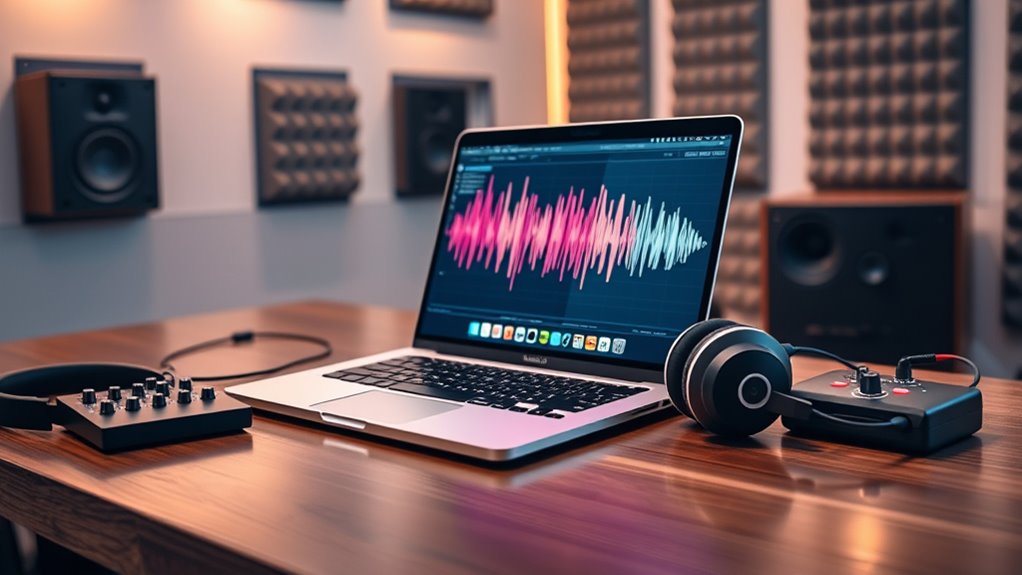

For music production, I’d choose the 14-inch MacBook Pro with M5 Pro and 48GB memory as the best overall balance of session capacity and portability. The 16-inch M5 Pro with 64GB memory suits larger projects and a more spacious work setup, while the M5 Max with 128GB memory is the high-headroom pick for demanding sessions and other creative work. The main tradeoffs are memory and processing headroom versus portability, storage, and the cost of buying more capacity than your sessions need. Older renewed M4 and M2 models can still make sense, but condition and remaining support deserve extra attention. Read on for the full comparison and guidance on matching a configuration to your workflow.

Get pool and patio gear delivered free with Prime
- Fast, free delivery on millions of items
- Prime Video, Amazon Music and more included
- Member-only deals all year
Complete the kit



Key Takeaways
- M5 Pro configurations are the lineup’s practical center: the 14-inch model with 48GB memory offers a strong mix of portability and capacity, while the 16-inch versions prioritize workspace and, in one configuration, 64GB memory.
- Memory separates the most demanding options from everyday setups: the M5 Max with 128GB has the most headroom here, but most buyers should match memory to track counts, sample libraries, and plug-in use rather than choose the largest figure automatically.
- The M5 Max models are not automatically the best music-production buys: their 40-core GPU and high memory configurations are more compelling when music work shares time with graphics-heavy creative tasks.
- Two M5 14-inch choices target different budgets and workloads: the 16GB model is a simpler starting point, while the 32GB version leaves more room for large sample libraries and multitasking.
- Renewed models trade newer-generation status for a different value proposition: the M4 Max, M4 Pro, and M2 Max may suit buyers who find a well-documented unit, but their age, condition, and support timeline matter.



| macbook pro for music production | Display | Memory | Storage | Ports |
|---|---|---|---|---|
| Apple 2024 MacBook Pro Laptop | 16.2-inch Liquid Retina XDR | 48GB | 1TB SSD | Three Thunderbolt 5, MagSafe 3, SDXC, HDMI, headphone jack |
| Apple MacBook Pro 14.2-inch wi | 14.2-inch Liquid Retina XDR; 120Hz; 3456 × 2234 | 48GB unified memory | 1TB SSD | Three Thunderbolt 5, MagSafe 3, SDXC card slot, HDMI, headphone jack |
| Apple MacBook Pro Laptop with | 16.2-inch Liquid Retina XDR | 128GB unified memory | 2TB SSD | Three Thunderbolt 5, MagSafe 3, SDXC, HDMI, headphone jack |
| Apple MacBook Pro 2023 with M2 | 16.2-inch Liquid Retina XDR | 32GB | 1TB SSD | MagSafe 3, Thunderbolt 4, SDXC, HDMI, headphone jack |
| Apple 2025 MacBook Pro Laptop | 14.2-inch Liquid Retina XDR | 16GB unified memory | 1TB SSD | Three Thunderbolt 4, MagSafe 3, SDXC card slot, HDMI, headphone jack |
| Apple MacBook Pro 16-inch with | 16.2-inch Liquid Retina XDR, 3456 × 2234 pixels, 120Hz | 64GB unified memory | 1TB SSD | — |
| Apple MacBook Pro 16.2-inch wi | 16.2-inch Liquid Retina XDR | 64GB unified memory | 2TB SSD | Three Thunderbolt 5, MagSafe 3, SDXC card slot, HDMI, headphone jack |
| Apple 2024 MacBook Pro with M4 | 16.2-inch Liquid Retina XDR | 24GB | 512GB SSD | Three Thunderbolt 5, MagSafe 3, SDXC, HDMI, headphone jack |
| Apple 2026 MacBook Pro Laptop | 14.2-inch Liquid Retina XDR | 32GB unified memory | 1TB SSD | Three Thunderbolt 5, MagSafe 3, SDXC card slot, HDMI, headphone jack |
| Apple 16.2-inch MacBook Pro wi | 16.2-inch Liquid Retina XDR | 24GB unified memory | 1TB SSD | Three Thunderbolt 5, MagSafe 3, SDXC, HDMI, headphone jack |
More Details on Our Top Picks
Apple 2024 MacBook Pro Laptop with M4 Max, 16.2-inch Liquid Retina XDR Display, 48GB Memory, 1TB SSD, Silver (Renewed)
The M4 Max and 48GB of unified memory make this renewed 16-inch MacBook Pro a strong fit for producers running large sample libraries, many plug-ins, or demanding sessions alongside other creative work. Its generous memory gives you more room for loaded instruments than the 2025 MacBook Pro with M5 and 16GB, while the 1TB SSD provides useful space for projects and software. The large Liquid Retina XDR display also gives a mixer room to keep a timeline, mixer, and plug-in windows visible together.
The tradeoff is size: this is less convenient to carry between studios than the 14.2-inch models. It is also a renewed product, so condition and warranty terms deserve attention. For music production alone, the older M2 Max model may be enough; choose this one when memory headroom and a newer chip matter more.
Pros:- 48GB unified memory suits large instrument libraries and demanding sessions.
- M4 Max chip is built for intensive creative workloads.
- 16.2-inch XDR display offers room for timelines and mixer panels.
- Broad port selection includes HDMI, SDXC, and a headphone jack.
Cons:- Large, heavy design is less convenient for frequent travel.
- Renewed condition may mean cosmetic wear or different warranty coverage.
- 1TB storage can fill quickly with extensive sample libraries and project archives.
Best for: Producers working with large orchestral sample libraries, high plug-in counts, and sessions that benefit from a spacious screen.
Not ideal for: Mobile producers who need a lightweight laptop, or buyers who want a new model with clearly stated condition and warranty terms.
- Processor:Apple M4 Max
- Display:16.2-inch Liquid Retina XDR
- Memory:48GB
- Storage:1TB SSD
- Ports:Three Thunderbolt 5, MagSafe 3, SDXC, HDMI, headphone jack
- Camera:12MP Center Stage
- Speakers:Six speakers with Spatial Audio and Dolby Atmos
- Condition and color:Renewed; Silver
Our verdict“Choose this renewed M4 Max when your sessions need substantial memory and a large workspace, and you accept the size and renewed-product tradeoffs.”
Apple MacBook Pro 14.2-inch with M5 Pro, 48GB Memory, 1TB SSD, Space Black
This 14.2-inch MacBook Pro pairs an M5 Pro chip with 48GB of unified memory, a useful balance for producers who want a travel-friendly machine without giving up room for demanding sessions. Its memory matches the renewed M4 Max model in this batch, while the smaller chassis is easier to take to rehearsals, client studios, or live setups. The 1TB SSD and broad port selection also let you keep projects close and connect common peripherals without relying solely on adapters.
Compared with the 16.2-inch M5 Max with 128GB, this configuration offers less screen space and memory for very large workloads, but it is a more compact studio companion. One caveat is that the supplied listing data contains conflicting chip and display details; I would verify the exact configuration before buying. The stated weight also makes this less of an ultralight option than the screen size might suggest.
Pros:- 48GB unified memory supports demanding music sessions and sizable sample libraries.
- 14.2-inch format is more portable than the 16.2-inch models.
- 1TB SSD gives room for active projects and commonly used instruments.
- Thunderbolt 5, HDMI, SDXC, MagSafe 3, and headphone jack provide flexible connections.
Cons:- Smaller screen offers less room for mixer and arrangement views than 16.2-inch options.
- Product data has conflicting chip and display specifications that should be checked.
- Listed 2.14 kg weight may feel substantial for frequent carry.
Best for: Producers who travel between studio and performance spaces and need substantial memory in a smaller-display MacBook Pro.
Not ideal for: Buyers who need maximum screen area or who cannot confirm the listed chip and display configuration before purchase.
- Chip:Apple M5 Pro
- Memory:48GB unified memory
- Storage:1TB SSD
- Display:14.2-inch Liquid Retina XDR; 120Hz; 3456 × 2234
- Weight:2.14 kg
- Ports:Three Thunderbolt 5, MagSafe 3, SDXC card slot, HDMI, headphone jack
- Camera:12MP Center Stage
- Operating system and color:macOS; Space Black
Our verdict“Pick this compact M5 Pro configuration if you need 48GB of memory on the move, after confirming the exact product specifications.”
Apple MacBook Pro Laptop with M5 Max, 18-core CPU, 40-core GPU, 16.2-inch Display, 128GB Memory, 2TB SSD, Space Black
For producers whose sessions include unusually large sample libraries, complex instrument templates, or other heavy creative workloads, the standout here is 128GB of unified memory paired with an M5 Max. That gives this configuration far more headroom than the 48GB M4 Max and 48GB M5 Pro options in this batch. Its 2TB SSD also offers more local room for active projects and sound libraries, reducing the need to shuffle files as often.
This is the specialist pick, not the sensible default for every home studio: many music projects will not make full use of its memory and processing capacity. The 16.2-inch chassis is less convenient to carry than the 14.2-inch M5 Pro, and its premium workstation positioning may be hard to justify if your sessions are moderate in size. The ports and built-in speakers are useful, but serious monitoring still calls for dedicated studio headphones or monitors.
Pros:- 128GB unified memory provides exceptional room for large sample-based sessions.
- M5 Max combines an 18-core CPU with a 40-core GPU.
- 2TB SSD offers more local capacity than the 1TB options in this batch.
- 16.2-inch XDR display and broad ports suit a fixed studio workstation.
Cons:- Its memory and processing capacity may exceed the needs of many music producers.
- Large 16.2-inch design is less convenient to carry than the 14.2-inch models.
- Built-in speakers are not a substitute for calibrated studio monitoring.
Best for: Established producers building large orchestral or cinematic templates and running complex sessions alongside other demanding creative applications.
Not ideal for: Beginners, modest home-studio users, or mobile musicians who value lower weight and do not need extreme memory capacity.
- Processor:Apple M5 Max, 18-core CPU
- Graphics:40-core GPU
- Memory:128GB unified memory
- Storage:2TB SSD
- Display:16.2-inch Liquid Retina XDR
- Ports:Three Thunderbolt 5, MagSafe 3, SDXC, HDMI, headphone jack
- Connectivity:Wi-Fi 7, Bluetooth 6
- Speakers and camera:Six speakers with Spatial Audio and Dolby Atmos; 12MP Center Stage camera
- Color:Space Black
Our verdict“Choose this M5 Max workstation for exceptionally large sessions and ample local storage, not for ordinary production workloads.”
Apple MacBook Pro 2023 with M2 Max Chip (16-inch, 32GB RAM, 1TB SSD) – Silver (Renewed)
The renewed 2023 MacBook Pro is the more restrained choice for producers who want a 16.2-inch display and 32GB of memory without stepping up to the newer M4 Max or M5 Max configurations. Its M2 Max, 12-core CPU, and 1TB SSD provide a capable foundation for substantial music projects, while Thunderbolt 4, HDMI, SDXC, and MagSafe 3 help connect a studio setup. The listed battery life of up to 22 hours is useful when sessions move away from a desk.
Compared with the M4 Max model with 48GB, this older chip and lower memory ceiling leave less headroom for the largest sample-heavy sessions. It may suit established workflows well, but the renewed status adds uncertainty around condition and warranty. I would favor it over a newer, higher-spec option only when its configuration and renewed terms make sense for your needs.
Pros:- 32GB RAM is a solid fit for many multitrack production workflows.
- M2 Max and 38-core GPU support demanding creative tasks.
- 16.2-inch XDR display provides a roomy working area.
- Useful studio connections include Thunderbolt 4, HDMI, and SDXC.
Cons:- Older M2 Max generation offers less headroom than the newer M4 Max and M5 Max models.
- Renewed condition may involve cosmetic wear or limited warranty coverage.
- 32GB memory is less suited to exceptionally large sample libraries than 48GB or 128GB options.
Best for: Producers who want a large-screen MacBook Pro with 32GB memory for established projects and are comfortable buying renewed.
Not ideal for: Users building very large sample templates who need more than 32GB of memory, or buyers who require a new device and predictable warranty coverage.
- Processor:Apple M2 Max, 12-core
- GPU:38-core
- Memory:32GB
- Storage:1TB SSD
- Display:16.2-inch Liquid Retina XDR
- Battery life:Up to 22 hours
- Ports:MagSafe 3, Thunderbolt 4, SDXC, HDMI, headphone jack
- Connectivity:Wi-Fi 6E, Bluetooth 5.3
- Condition and color:Renewed; Silver
Our verdict“Choose this renewed M2 Max if you want a large-screen production laptop with 32GB memory and can accept its older generation and renewed condition.”
Apple 2025 MacBook Pro Laptop with M5 Chip, 14.2-inch Liquid Retina XDR Display, 16GB RAM, 1TB SSD, Space Black
This 14.2-inch MacBook Pro is the accessible starting point in this lineup for producers who want a current-generation chip, a 1TB SSD, and a compact workstation format. The M5 chip’s 10-core CPU and GPU are suited to everyday creative work, while the XDR screen and built-in HDMI, SDXC, and headphone jack make it practical for a home setup without immediately adding adapters. Compared with the 48GB M5 Pro, it gives up memory headroom and higher-tier processing, but keeps the same general 14-inch convenience.
The main constraint is 16GB of unified memory: it is a more natural fit for learning a DAW, recording bands, and moderate plug-in use than for huge orchestral templates. Producers expecting their sessions to grow substantially may be better served by a 48GB configuration. It is also not a substitute for an audio interface or dedicated monitoring, despite the useful built-in headphone connection.
Pros:- M5 10-core CPU and GPU suit everyday creative tasks.
- 14.2-inch display makes it more portable than the 16.2-inch models.
- 1TB SSD provides useful capacity for projects and applications.
- HDMI, SDXC, MagSafe 3, and headphone jack support a range of connections.
Cons:- 16GB unified memory limits headroom for large libraries and complex sessions.
- Three Thunderbolt 4 ports may be restrictive in a setup with several peripherals.
- Moderate production needs may outgrow this configuration sooner than the 48GB options.
Best for: New producers and compact home-studio owners recording and mixing moderate sessions who want a portable MacBook Pro with 1TB storage.
Not ideal for: Experienced producers running large sample libraries, high plug-in counts, or sessions that need the memory headroom of the 48GB models.
- Processor:Apple M5 chip with 10-core CPU and GPU
- Display:14.2-inch Liquid Retina XDR
- Memory:16GB unified memory
- Storage:1TB SSD
- Battery life:All-day
- Ports:Three Thunderbolt 4, MagSafe 3, SDXC card slot, HDMI, headphone jack
- Color:Space Black
Our verdict“Choose this M5 MacBook Pro for learning production and running moderate sessions in a compact setup, but move to a 48GB model for larger projects.”
Apple MacBook Pro 16-inch with M5 Pro, 18-core CPU, 20-core GPU, 64GB Memory, 1TB SSD
The standout here for music production is 64GB of unified memory: it gives large sample libraries, virtual instruments, and other open applications more room than the 24GB configuration in the 16.2-inch M5 Pro MacBook Pro with 24GB. The 18-core CPU and 1TB SSD make it a strong fit for complex sessions, while the 16.2-inch XDR display offers more space for arranging tracks and working with a mixer. Compared with the M5 Max model in this lineup, this M5 Pro has a smaller GPU and half the SSD capacity, but music producers who prioritize memory over graphics may find that a sensible tradeoff. Its main cost is portability: the large chassis is less convenient for mobile recording, and the supplied information does not establish real-world audio performance or battery runtime.
Pros:- 64GB unified memory suits large sample libraries and demanding multitasking.
- 18-core CPU is specified for intensive creative workflows.
- Large 16.2-inch Liquid Retina XDR display gives more room for tracks and controls.
- Includes a 140W USB-C power adapter and a USB-C to MagSafe 3 cable.
Cons:- The 16-inch-class chassis is less convenient to carry than the 14.2-inch M5 MacBook Pro.
- 1TB SSD may fill quickly when storing sample libraries and active project files.
- The listing provides no performance testing details for music-production workloads.
Best for: Producers who keep large sample libraries and many plug-ins open while building complex sessions at a desk.
Not ideal for: Musicians who regularly record or produce on the go, or who need more than 1TB of internal project storage.
- Chip:Apple M5 Pro
- CPU:18-core
- GPU:20-core
- Memory:64GB unified memory
- Storage:1TB SSD
- Display:16.2-inch Liquid Retina XDR, 3456 × 2234 pixels, 120Hz
- Color:Space Black
- Included accessories:140W USB-C power adapter; 6.5-foot USB-C to MagSafe 3 cable
Our verdict“Choose this M5 Pro configuration if large sessions and memory headroom matter more than a lighter laptop or a larger SSD.”
Apple MacBook Pro 16.2-inch with M5 Max, 18-core CPU, 40-core GPU, 64GB Memory, 2TB SSD, Space Black
This is the most expansive option in this batch for producers who want 64GB memory and a 2TB SSD in one machine. The extra storage over the 1TB M5 Pro models gives more space for libraries and current sessions, while its 18-core CPU and M5 Max chip target demanding creative work. The 40-core GPU is less central to many audio workflows than CPU and memory, so producers focused only on recording and mixing may get more practical value from the 64GB M5 Pro model. The three Thunderbolt 5 ports, HDMI, SDXC slot, and headphone jack offer useful connection options, though an audio interface may still need a suitable cable or hub. At a listed 8.5 pounds, it is a poor fit for frequent travel; its strengths make the most sense in a stationary studio setup.
Pros:- 64GB unified memory supports large projects and multitasking.
- 2TB SSD offers more internal room for libraries and project files than the 1TB options.
- Three Thunderbolt 5 ports, HDMI, SDXC, and headphone jack provide a broad selection of connections.
- 16.2-inch Liquid Retina XDR display offers a spacious surface for arranging and editing.
Cons:- Listed weight of 8.5 pounds makes it cumbersome for regular travel.
- The 40-core GPU may matter less to audio-only producers than CPU, memory, or storage.
- The supplied product details do not include music-production performance testing.
Best for: Studio producers who want a large internal sample-library drive, 64GB memory, and high-end hardware for mixed audio and visual work.
Not ideal for: Mobile musicians, or audio-only users who would rather avoid carrying a heavy laptop and do not need the M5 Max graphics configuration.
- Chip:Apple M5 Max
- CPU:18-core
- GPU:40-core
- Memory:64GB unified memory
- Storage:2TB SSD
- Display:16.2-inch Liquid Retina XDR
- Ports:Three Thunderbolt 5, MagSafe 3, SDXC card slot, HDMI, headphone jack
- Weight:8.5 pounds
- Wireless:Wi-Fi 7, Bluetooth 6, Thread
Our verdict“Pick this M5 Max when you need 2TB of internal storage and high-end mixed-media capability, and expect it to stay mostly in the studio.”
Apple 2024 MacBook Pro with M4 Pro Chip, 16-inch, 24GB RAM, 512GB SSD, Silver (Renewed)
The renewed M4 Pro model offers a 16.2-inch Liquid Retina XDR display and a professional-class chip in a previous-generation configuration. That large screen can make long sessions easier to organize than on the 14.2-inch M5 MacBook Pro, particularly when several tracks and plug-in windows need to remain visible. Its 24GB of memory is less generous than the 64GB in the M5 Pro and M5 Max options here, so producers using expansive sample templates should compare those models before choosing. The 512GB SSD is also the smallest listed drive in this batch, likely making external storage useful for libraries and archived sessions. Because this is renewed, condition and warranty terms deserve attention; the listing does not specify warranty coverage. This is a more restrained route to a large-screen MacBook Pro, not the strongest pick for maximum memory or storage.
Pros:- M4 Pro chip is positioned for demanding professional tasks.
- 16.2-inch Liquid Retina XDR display provides generous workspace for a DAW.
- Three Thunderbolt 5 ports, MagSafe 3, SDXC, HDMI, and headphone jack support varied connections.
- Apple ecosystem integration can suit producers already working with Apple devices.
Cons:- Renewed condition and warranty coverage are not clearly detailed in the supplied information.
- 512GB SSD offers less internal project and library space than the 1TB and 2TB alternatives.
- 24GB RAM is below the 64GB configurations in this roundup for memory-heavy sessions.
Best for: Producers who want a large-screen MacBook Pro for moderate sessions and are comfortable buying a renewed device after checking its condition and coverage.
Not ideal for: Users with large sample libraries, extensive plug-in templates, or a preference for a clearly specified new-device warranty.
- Processor:Apple M4 Pro
- Display:16.2-inch Liquid Retina XDR
- Memory:24GB
- Storage:512GB SSD
- Battery life:Described as all-day
- Ports:Three Thunderbolt 5, MagSafe 3, SDXC, HDMI, headphone jack
- Condition:Renewed
Our verdict“Consider this renewed M4 Pro if a large display matters more than maximum memory and storage, and verify condition and warranty details before buying.”
Apple 2026 MacBook Pro Laptop with M5 Chip, 14.2-inch Liquid Retina XDR Display, 32GB RAM, 1TB SSD, Silver
For producers who carry their setup between home, rehearsal, and recording spaces, this 14.2-inch MacBook Pro is the most portable choice in this batch, with a listed weight of 3.41 pounds. Its 32GB unified memory and 1TB SSD give it a more substantial music-production starting point than the 16GB M5 configuration elsewhere in the roundup. The tradeoff is the M5 chip’s 10-core CPU and GPU: it is not specified at the same level as the 18-core M5 Pro chips in the 16-inch models, so those are better candidates for especially demanding sessions. The three Thunderbolt 5 ports, HDMI, SDXC, and headphone jack reduce the need to rely entirely on adapters. A smaller screen means less room for a crowded arrangement, but it is easier to fit into a mobile rig.
Pros:- Listed 3.41-pound weight makes it easier to carry than the 16-inch models.
- 32GB unified memory is more generous than the 16GB M5 configuration in the roundup.
- 1TB SSD provides useful room for active projects and some libraries.
- Thunderbolt 5, HDMI, SDXC, and headphone jack offer varied connection options.
Cons:- The 14.2-inch display gives less room for arranging tracks than the 16.2-inch options.
- 10-core M5 CPU is a lower-tier specification than the 18-core M5 Pro configurations.
- The listed all-day battery description does not provide a runtime figure for audio workloads.
Best for: Mobile producers who need a relatively light MacBook Pro with 32GB memory and enough internal storage for active projects.
Not ideal for: Studio users who prioritize a wide DAW workspace or want an 18-core M5 Pro configuration for their most demanding sessions.
- Processor:Apple M5 chip with 10-core CPU and GPU
- Display:14.2-inch Liquid Retina XDR
- Memory:32GB unified memory
- Storage:1TB SSD
- Weight:3.41 pounds
- Ports:Three Thunderbolt 5, MagSafe 3, SDXC card slot, HDMI, headphone jack
- Wireless:Wi-Fi 7, Bluetooth 6
- Audio:Six speakers with Spatial Audio and Dolby Atmos
Our verdict“Choose this compact M5 model for mobile production and a practical memory-and-storage balance, not for the largest screen or highest-tier chip in this batch.”
Apple 16.2-inch MacBook Pro with M5 Pro, 18-core CPU, 20-core GPU, 24GB Memory, and 1TB SSD – Space Black
This configuration pairs the 18-core M5 Pro CPU with a 1TB SSD, making it a compelling large-screen choice for producers who want a specified higher-tier CPU without moving to the M5 Max model. Against the 64GB M5 Pro MacBook Pro in this batch, it keeps the same listed CPU and GPU core counts but has 24GB rather than 64GB of memory. That distinction matters for large sample libraries and many simultaneous instruments; lighter or more CPU-led sessions may have less need for the extra memory. Its 16.2-inch display and broad port selection suit a desk-based setup with an external interface and multiple peripherals. At 4.71 pounds, it is lighter than the M5 Max model listed at 8.5 pounds, but still a substantial machine to carry. Warranty details are not supplied.
Pros:- 18-core M5 Pro CPU is specified for demanding creative workloads.
- 1TB SSD provides more internal capacity than the renewed 512GB M4 Pro option.
- 16.2-inch Liquid Retina XDR display gives a broad workspace for a DAW.
- Thunderbolt 5, HDMI, SDXC, MagSafe 3, and headphone jack support varied studio connections.
Cons:- 24GB memory is substantially less than the 64GB M5 Pro option for large sample-heavy sessions.
- At 4.71 pounds with a large chassis, it is less convenient for frequent travel than the 14.2-inch M5.
- Manufacturer warranty details are not specified in the product information.
Best for: Producers who want an 18-core M5 Pro CPU, a 1TB SSD, and a large display for a mostly stationary studio setup.
Not ideal for: Creators who load extensive sample libraries or many memory-heavy instruments and would benefit more from the 64GB M5 Pro configuration.
- Processor:Apple M5 Pro with 18-core CPU
- Graphics:20-core GPU
- Display:16.2-inch Liquid Retina XDR
- Memory:24GB unified memory
- Storage:1TB SSD
- Wireless:Wi-Fi 7 and Bluetooth 6
- Ports:Three Thunderbolt 5, MagSafe 3, SDXC, HDMI, headphone jack
- Weight:4.71 pounds
- Color:Space Black
Our verdict“Pick this model for a large-screen, CPU-focused studio MacBook Pro if 24GB memory is enough for your sessions.”

How We Picked
I ranked these MacBook Pro configurations for music production by weighing CPU capability, unified memory, and storage against portability and likely workload. Audio sessions rely on sustained processing for virtual instruments and effects, while sample-heavy projects can use memory and internal storage quickly. Screen size also matters for arranging tracks and editing, but it does not outweigh suitable performance and capacity for every buyer.
The order favors configurations that appear to balance those needs for a broad range of producers, then separates out high-headroom premium models, lighter entry options, and renewed alternatives. I did not treat a larger GPU or newer chip name as an automatic win: those features matter less for many audio-only workflows than sufficient memory, storage planning, and a comfortable setup. Because product listings do not establish renewed-unit condition or every buyer’s software demands, I treat those as decision points rather than assumed benefits.
| macbook pro for music production | Processor | Ports |
|---|---|---|
| Apple 2024 MacBook Pro Laptop | Apple M4 Max | Three Thunderbolt 5, MagSafe 3, SDXC, HDMI, headphone jack |
| Apple MacBook Pro 14.2-inch wi | — | Three Thunderbolt 5, MagSafe 3, SDXC card slot, HDMI, headphone jack |
| Apple MacBook Pro Laptop with | Apple M5 Max, 18-core CPU | Three Thunderbolt 5, MagSafe 3, SDXC, HDMI, headphone jack |
| Apple MacBook Pro 2023 with M2 | Apple M2 Max, 12-core | MagSafe 3, Thunderbolt 4, SDXC, HDMI, headphone jack |
| Apple 2025 MacBook Pro Laptop | Apple M5 chip with 10-core CPU and GPU | Three Thunderbolt 4, MagSafe 3, SDXC card slot, HDMI, headphone jack |
| Apple MacBook Pro 16-inch with | — | — |
| Apple MacBook Pro 16.2-inch wi | — | Three Thunderbolt 5, MagSafe 3, SDXC card slot, HDMI, headphone jack |
| Apple 2024 MacBook Pro with M4 | Apple M4 Pro | Three Thunderbolt 5, MagSafe 3, SDXC, HDMI, headphone jack |
| Apple 2026 MacBook Pro Laptop | Apple M5 chip with 10-core CPU and GPU | Three Thunderbolt 5, MagSafe 3, SDXC card slot, HDMI, headphone jack |
| Apple 16.2-inch MacBook Pro wi | Apple M5 Pro with 18-core CPU | Three Thunderbolt 5, MagSafe 3, SDXC, HDMI, headphone jack |
Factors to Consider When Choosing Macbook Pro For Music Production
I’d start with the demands of your sessions, not the most powerful configuration on the page. These broader factors help you decide where extra capacity changes your day-to-day workflow and where it may be better to spend on the rest of your studio.
Match Memory to Your Instruments and Session Size
Memory use depends less on how many audio tracks you see than on what those tracks contain. A project built around audio recordings and a moderate number of effects may ask less of the system than a session with several large orchestral sample libraries. Check the requirements of your main virtual instruments and leave room for your DAW, browser, and other apps to run at the same time. A common mistake is buying a low-memory configuration because a current project opens comfortably, then adding larger libraries later. Paying for more memory makes the most sense when your work already points to a sustained need; otherwise, put that money toward monitoring, storage, or instruments.
Choose CPU Headroom for Real-Time Audio Work
CPU capacity matters when a session runs many virtual instruments or effects in real time, especially while recording or monitoring through software processing. A high track count alone does not tell the whole story: a few demanding instruments can tax a system more than many lightly processed audio tracks. If you often freeze or render tracks to keep a session responsive, extra processing headroom may reduce interruptions. Do not assume the Max chip is necessary just because it is the highest tier; its extra graphics capability may not add much to an audio-focused setup. Compare the chip tier with the workload you actually run, including any video or visual production you do alongside music.
Plan Storage Around Libraries, Projects, and Backups
Internal storage has to serve the operating system, DAW, plug-ins, active projects, and any sample content you keep on the laptop. A 512GB configuration can work if you are disciplined about external storage, but a large library can make that arrangement inconvenient. Before choosing capacity, add up the size of your current sound libraries and leave space for new projects and system updates. External drives can expand a studio setup, though they add cables and another item to manage when working away from your desk. Keep a separate backup plan: a second copy of project files is more useful than relying on the laptop’s internal drive alone.
Pick a Screen Size for Your Studio Routine
A 16-inch display gives more room for mixer, arrangement, and plug-in windows, which can reduce constant window switching during detailed editing. A 14-inch model is easier to carry and can be a better fit if you produce on the move or connect to a large external display at home. Think about whether you record in different rooms, travel with your laptop, or leave it set up at a desk. Buyers sometimes choose the larger screen for comfort and later find that its size makes mobile work less appealing. An external monitor can make a compact laptop more comfortable in a fixed studio, but it does not help during a session away from that display.
Treat Renewed Models as a Condition-and-Support Decision
A renewed MacBook Pro can offer a capable chip tier without being a current-generation configuration, but the listing alone cannot tell you the unit’s battery health, cosmetic condition, or service history. Confirm the seller’s return terms, warranty coverage, and what has been checked before purchase. Also verify that your audio interface, DAW, plug-ins, and operating-system version work together; older hardware may still perform well while receiving a shorter runway for future software updates. Avoid comparing renewed and new models by chip name alone, since memory, storage, condition, and support all affect long-term usefulness. This route fits buyers comfortable checking those details, not anyone who wants the least ambiguous purchase.
Budget for the Whole Recording Setup
A laptop is only one part of a reliable production system. Audio interfaces, headphones or monitors, microphones, external drives, and backup storage can shape the final workflow as much as a higher chip tier. Set aside room for the tools that solve your current bottleneck instead of spending every available dollar on the computer. A producer working mainly with MIDI and headphones may value memory and a portable screen, while someone recording a band may need an interface and dependable monitoring first. A balanced setup often serves more sessions than a maximum-spec laptop paired with missing studio essentials.
Frequently Asked Questions
Is 16GB of memory enough for music production?
It can be enough for learning a DAW, recording audio, and making projects with moderate instrument and effect use. It leaves less room for large sample libraries, demanding virtual instruments, and several creative apps running together. In this lineup, the 16GB M5 model is the more restrained starting configuration, while the 32GB and 48GB options provide more breathing room as sessions grow. Check the memory requirements of your key plug-ins before deciding. If you already rely on large libraries, choosing more memory up front is usually simpler than changing your workflow around a tight limit.
Should I choose the M5 Max or an M5 Pro for audio work?
For many music-only workflows, an M5 Pro configuration is the more balanced place to start because it can pair strong processing with substantial memory without making the Max tier the default. The M5 Max becomes more compelling when your sessions need especially high memory capacity or you also do graphics-heavy work. The 128GB M5 Max is the standout for buyers with unusually large sample-based sessions, but its headroom may go unused in smaller projects. Compare your current bottlenecks and software demands rather than choosing by chip tier alone. If CPU limits are rare and memory use is modest, the additional Max capability may not change your daily work.
Is a 14-inch MacBook Pro too small for producing music?
A 14-inch screen can handle production work, but arranging tracks and managing several open plug-in windows may require more window switching than on a 16-inch model. It is a strong fit for mobile producers or people who connect to an external monitor in a home studio. The 16-inch models make more sense if you work on the laptop screen for long sessions and value a larger workspace. Screen size does not determine how many tracks the computer can process, so do not confuse workspace comfort with performance. Decide based on where you work and whether an external display is part of your setup.
Should I buy a renewed M4 or M2 MacBook Pro instead of an M5 model?
A renewed M4 or M2 model may suit a buyer whose software and workload fit its configuration and who can verify the unit’s condition and seller protections. The lineup includes renewed M4 Max, M4 Pro, and M2 Max options, but their memory and storage differ, so compare those details instead of relying on the chip name. Check battery condition, return terms, warranty coverage, and compatibility with your interface and plug-ins before committing. A newer model is the clearer path if you want a longer expected software runway or prefer fewer unknowns about condition. A renewed option is best treated as a deliberate compromise, not an automatic bargain.
Is 512GB of storage workable if I use sample libraries?
It can work if your libraries are modest and you are comfortable keeping some content and older projects on an external drive. Sample libraries can grow quickly, so 512GB may become restrictive once the operating system, DAW, plug-ins, and active projects share the same drive. Check the installed size of your current libraries and whether your preferred instruments support external storage. Plan for backups as well as working space; an external sample drive should not be your only copy of important projects. If you want a simpler all-in-one setup, the 1TB configurations in this roundup offer more internal room.
Conclusion
Best overall: I’d choose the 14-inch M5 Pro with 48GB memory for a portable setup with substantial room for demanding sessions. Best value: the 14-inch M5 with 32GB memory and 1TB SSD is the more measured choice for producers who want more capacity than the 16GB version without moving to a Pro or Max tier. Best premium: the 16-inch M5 Max with 128GB memory and 2TB SSD is the high-headroom pick for exceptionally large sessions and mixed creative workloads. Best for beginners: the 14-inch M5 with 16GB memory suits learning and moderate projects, provided your instrument libraries are not memory-heavy. For buyers who want a larger built-in workspace, I’d pick the 16-inch M5 Pro; for buyers considering a renewed model, I’d choose only after checking condition, support, and compatibility. Match the configuration to the sessions you make now and expect to make next, rather than paying for capacity you have no clear use for.